Small teams often do not need a more complicated productivity app. They need a shared way to decide what matters, who owns it, when it is due, and what should happen when work gets stuck.
A simple project management system gives a business one calm operating rhythm for tasks, deadlines, handoffs, and follow-through without turning every week into status chaos.
This guide is for solo operators with helpers, freelancers, consultants, local service teams, creators, agencies, and small businesses that want clearer work ownership before they add more tools or hire more people.

What a project management system is
A project management system is the repeatable way a team captures work, sorts priorities, assigns responsibility, tracks deadlines, and reviews progress. It can live in a dedicated app, a shared spreadsheet, a CRM task board, or a simple document at first.
The important part is consistency. If some tasks live in email, some in chat, some in a notebook, and some only in someone's head, the business cannot see capacity or risk. A simple system gives the team one operating view.
Why small teams lose control of projects
Project drift usually begins quietly. A customer request gets mentioned during a call. A revision gets dropped into a message thread. A contractor says they will handle something later. Nobody is being careless, but the work does not have a clear home.
Small teams are especially vulnerable because people wear several hats. The owner sells, delivers, supports customers, reviews cash flow, and makes decisions. Without a project rhythm, the loudest item wins while important but quiet work slips.
- Local service example: estimate follow-up, materials, scheduling, and customer updates need one shared view.
- Consultant example: discovery, proposal, delivery milestones, and review calls need clear owners.
- Creator example: content, products, sponsors, emails, and fulfillment need a weekly release path.
- Agency example: client approvals, assets, revisions, reporting, and renewals need reliable handoffs.
Start with one intake path
The first rule is simple: every piece of work must enter through one intake path. That does not mean customers and team members can never use email or chat. It means someone is responsible for turning scattered requests into clear tasks.
Use a short intake format: task name, source, customer or project, owner, due date, status, next action, and links to supporting files. For client work, the simple client intake system guide can help separate useful details from extra form friction.
Use a small set of statuses
Most teams do not need twenty columns. Too many statuses create confusion and make the board harder to maintain. Start with a few plain states that match how work actually moves.
- New: captured but not yet reviewed.
- Ready: approved, clear, and waiting to be started.
- Doing: actively being worked on by one owner.
- Blocked: waiting on a decision, file, payment, customer answer, or dependency.
- Review: ready for owner, client, or manager review.
- Done: delivered, documented, and closed.
These states are enough for most small businesses. The power comes from reviewing them every week, not from designing the most elaborate board.
Assign one owner to every task
A task can involve several people, but it should have one owner. The owner is not always the person doing every step. The owner is the person responsible for making sure the next action happens or the blocker gets raised.
Shared ownership sounds friendly but often creates delay. If three people own the same task, nobody knows who should move it forward. Use comments, collaborators, and checklists for support, but keep the accountable owner clear.
Separate projects from recurring operations
Small teams often mix one-time projects with recurring work. That makes the board noisy. A website redesign, customer onboarding, weekly invoicing, social content, and monthly reporting may all matter, but they do not behave the same way.
Keep two views if needed:
- Project view: one-time initiatives with milestones and due dates.
- Operations view: recurring weekly or monthly tasks that keep the business running.
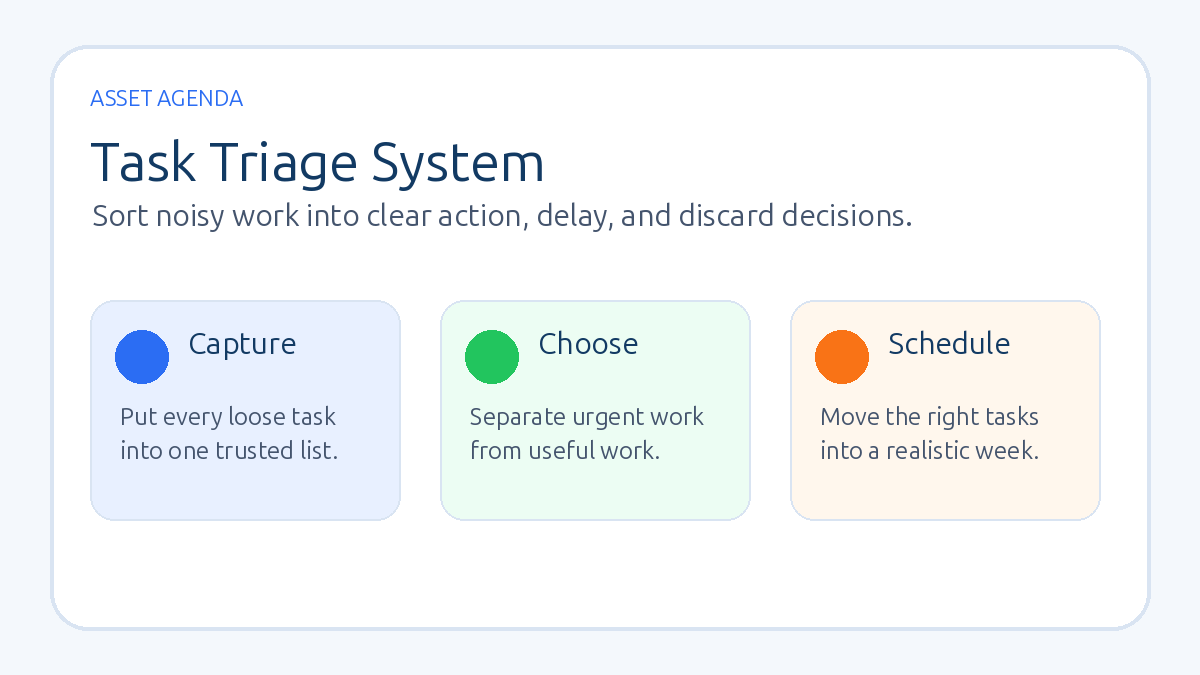
The simple task triage system guide is useful when the owner has too many open loops and needs a cleaner decision process.
Build a weekly project review
A project management system becomes real during review. Put a 30-minute weekly review on the calendar and protect it. The goal is not to discuss every task. The goal is to find risk early.
Review these five questions:
- What was completed last week?
- What must move this week?
- What is blocked?
- Which deadlines are at risk?
- What should be removed, paused, or delegated?
This meeting should end with updated owners and next dates. If the board does not change after the review, the meeting probably turned into conversation instead of operations.
Choose software after the process is clear
Software can help, but it should not be the first decision. A clear process can work in Trello, Asana, ClickUp, Notion, Airtable, a CRM, or a spreadsheet. A messy process stays messy in better software.
Use these criteria before choosing a tool:
- Visibility: can the team see all active work quickly?
- Ownership: can every task have a clear owner and date?
- Recurring tasks: can routine work repeat without manual rebuilding?
- Customer context: can client or lead tasks connect to the right record?
- Low friction: will the team actually update it?
If the business needs sales follow-up, forms, pipeline stages, and basic automations in the same operating system, AssetAgenda's GoHighLevel guide can be a useful comparison point. If the main need is delivery work, a dedicated project tool may be a better fit.
Connect projects to customer communication
Many project problems become customer problems because nobody sends a timely update. Build communication checkpoints into the system. When a project changes state, decide whether the customer, partner, or team needs a note.
For example, send a confirmation when work begins, a short update when a milestone is reached, a decision request when the project is blocked, and a closing message when delivery is complete. This keeps trust from depending on the owner's memory.
Use templates for repeatable work
Once a project type happens more than twice, turn it into a template. A template does not have to be perfect. It should include the common steps, common decisions, common files, and normal review points.
- Client onboarding: contract, invoice, intake, kickoff, access, first milestone.
- Content publishing: topic, draft, edit, image, publish, email, repurpose.
- Local service job: inquiry, estimate, approval, scheduling, delivery, payment, review request.
- Digital product launch: offer, page, checkout, email sequence, delivery, support plan.
The first template saves mental energy. The fifth template starts to create an operating asset.
Project management mistakes to avoid
- Tracking everything except decisions: note who decided what and when.
- Letting blocked work hide: blocked tasks should be reviewed first.
- Using due dates for every wish: reserve dates for real commitments.
- No done definition: decide what counts as finished, delivered, and closed.
- Too many priority labels: use a short list so priority still means something.
- Never archiving old work: closed projects should not clutter active planning.
A 14-day setup plan
Keep the first version small enough to use immediately.
- Days 1-2: list every current project and recurring operation in one place.
- Days 3-4: choose the statuses, fields, and one intake path.
- Days 5-7: assign one owner and one next date to every active task.
- Week 2: run the first weekly review, mark blockers, and create one reusable template.
This gives the team a working rhythm before anyone spends weeks customizing software.
FAQ
What is the simplest project management system for a small team?
The simplest system is one task queue, a few clear statuses, one owner per task, one next date, and a weekly review. Start with that before adding complex workflows.
Which project management tool is best for small businesses?
The best tool is the one the team will update consistently. Trello, Asana, ClickUp, Notion, Airtable, a CRM, or a spreadsheet can all work if ownership, due dates, and review habits are clear.
How often should a small team review projects?
Most small teams should review active projects once per week. Fast-moving customer work may also need a short daily check for blockers and urgent deadlines.
Should sales tasks and delivery projects live in the same system?
They can, but only if the views stay clear. Sales follow-up and delivery work have different rhythms. Connect them through customer records, but avoid one crowded board that nobody trusts.
The bottom line
A simple project management system helps a small team turn scattered work into visible commitments. Capture work in one place, use a short set of statuses, assign one owner, review blockers weekly, and choose software only after the operating rhythm is clear.
Want a clear next step?
Read the task triage system guide ->